Guide
How To Block Ads On Dailymotion
August 31, 2026
Guide

Each social media platform offers its own version of privacy settings. However, some users don’t believe these controls are enough in light of the privacy & security concerns surrounding social media as a whole.
If you’re ready to say goodbye to these platforms, here’s a step-by-step guide on how to delete social media accounts.
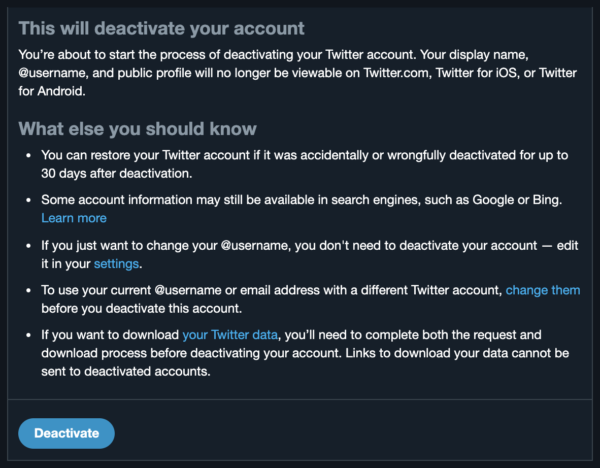
Here is how to close your Twitter account:
Desktop
Go to Settings and Privacy > scroll down to Deactivate Your Account > Review the information and select Deactivate.
Mobile
Go to Settings and Privacy > choose Account > Deactivate Your Account > Review the information and select Deactivate.
Note: After 30 days, your deactivated account will become permanently deleted.
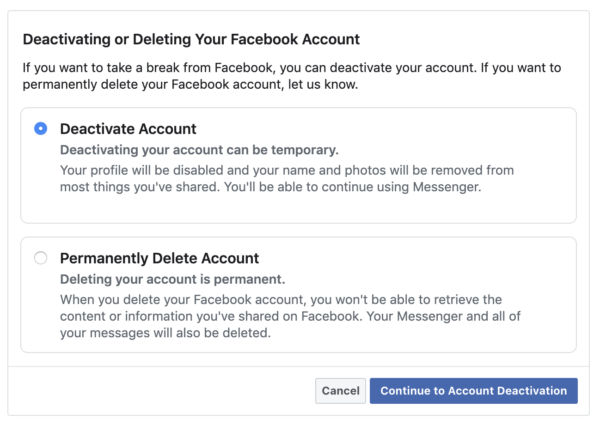
To deactivate or permanently delete your Facebook account:
Desktop
Click the drop-down arrow in the upper right corner > Settings > select Your Facebook Information in the left-hand column > Deactivation and Deletion.
Mobile
Click the settings gear on your profile page > View Privacy Shortcuts > scroll down to Delete Your Account and Information.
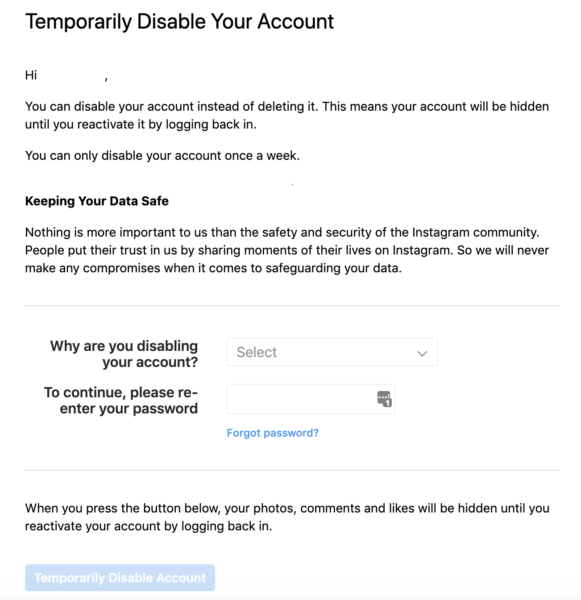
To deactivate or permanently delete your Instagram account:
Desktop
To deactivate your social media account, go to your profile page > select Edit Profile > Temporarily Disable My Account.
To delete your social media account, visit https://www.instagram.com/accounts/remove/request/permanent/ > if you’re not already signed in, you will be prompted to sign in to your account before continuing > select a reason for deleting your account.
Unfortunately, protecting your online identity isn’t as simple as googling "how to delete social media accounts" or "how to deactivate social media". Why?
Here’s an example: Facebook (who also owns Instagram) tracks almost 30% of web traffic according to a Ghostery study. These tracking scripts allow Facebook to gather and collect data outside of the platform itself.
This is why you can shop for a particular item online and then see ads for that item on your feed almost immediately after. This data is valuable whether it can be tied to an existing account or not.
Even when users don’t have a Facebook account, data is still being collected about them through the use of shadow profiles. “The tracking data contains unique identifiers (UIDs) that theoretically enable Facebook to link behavioral data to individual Internet users and to de-anonymize them very easily.” Deleting your account won’t protect you from this type of tracking.
If you’re taking this initiative, we suggest going a step further and using anti-tracking tools in tandem with your other privacy efforts. Anti-tracking tools, such as Ghostery, identify tracking scripts on webpages and block them before they are able to collect your data, giving you a faster and safer browsing experience. Download the Ghostery Tracker & Ad Blocker for your preferred browser to start blocking trackers today.
It depends on what you want to achieve. Deactivating an account is usually temporary and lets you return later, while deleting it is intended to permanently remove your account. If you want to keep using a social network, consider disabling unnecessary features and reviewing its privacy settings instead. You can also use Ghostery to block trackers and reduce the information social media companies and other third parties can collect about your browsing outside their platforms.
Before deleting a social media account, download any photos, messages, or other information you want to keep. Remove personal information from your profile and check whether the platform first deactivates your account before permanently deleting it. Some services allow you to recover your account during a limited grace period, so avoid logging back in if you want the deletion to continue. Also review any apps or services connected to the account before deleting it.
Yes, you can delete your social media accounts, although this may not remove every piece of information that has already been shared, copied, or collected. If you want to keep using social media, review your privacy settings, remove unnecessary personal information, and disable features that increase data collection. Ghostery can provide additional protection by blocking trackers and reducing the information social media companies and other third parties can collect about your browsing outside their platforms.
Start by identifying all the social media accounts you have, including older accounts you may no longer use. Review each profile and remove posts, photos, comments, and personal information you no longer want online. Download anything you want to keep before deleting or deactivating accounts. Keep in mind that content shared or copied by others may remain online even after you remove your original posts or accounts.
If there is anything you miss in Ghostery or have any questions, please drop a line to support@ghostery.com. We’re happy to talk to you anytime.